









Blog
The Technical Difference Between .mq4, .ex4, and .ex5 Files in MetaTrader


Author: The Architect (Senior MQL Developer @ Shop Forex EA)
Topic: Technical Anatomy & File Structure
Difficulty: Basic/Intermediate
The Technical Difference Between .mq4, .ex4, and .ex5 Files in MetaTrader
When you purchase an Expert Advisor (EA) or Indicator from a reputable vendor, you typically receive a file ending in .ex4 or .ex5. This often confuses new traders, leading to questions like: “Where is the .mq4 file?”, “How do I edit the code in this .ex4 file?”, or “Why won’t this file run on my MT5 terminal?”.
The confusion between Source Code and Executable Code is the primary reason for installation failures. This article dissects the technical anatomy of these file formats to help you understand the tools you are trading with.
Quick Comparison: .mq4 vs .ex4 vs .ex5
| Extension | File Type | Human Readable? | Platform |
|---|---|---|---|
| .mq4 / .mq5 | Source Code | YES (Editable) | MetaEditor |
| .ex4 | Compiled Executable | NO (Encrypted) | MetaTrader 4 (MT4) |
| .ex5 | Compiled Executable | NO (Encrypted) | MetaTrader 5 (MT5) |
The Core Concept: Source Code vs. Compiled Code
To understand the difference, imagine an EA as a building construction project:
- The .mq4 file (Source Code): This is the architectural blueprint on paper. An architect (Developer) can look at it, erase a wall, or add a window. It contains the logic written in text.
- The .ex4 file (Executable Code): This is the finished building made of bricks and concrete. You can live in it and use it, but you cannot physically “edit” the foundation or move pillars anymore.
“The transformation from .mq4 to .ex4 is called Compilation. This is a one-way process that converts human-readable commands into machine code (binary) that the computer processor can understand.”
Detailed File Breakdown
1. The .mq4 and .mq5 Files (Open Source)
These are text files containing script lines written in MQL (MetaQuotes Language), which has a syntax very similar to C++. To open and edit these files, you need the MetaEditor software (included with MT4/MT5).
- Purpose: For developers to write logic, debug errors, and upgrade features.
- Note: These files do NOT run directly on the chart. They must be “Compiled” to generate an .ex4/.ex5 file.
2. The .ex4 File (MetaTrader 4 Executable)
This is a compiled, encrypted, and compressed program file designed exclusively for MetaTrader 4. The computer can read this file instantly, but if a human opens it in a text editor, they will only see gibberish characters.
Characteristics: Runs on 32-bit architecture (mostly). Single-threaded execution.
3. The .ex5 File (MetaTrader 5 Executable)
This is the modern version for MetaTrader 5. The .ex5 file runs on a 64-bit architecture, supports multi-threaded operations, and executes Backtests significantly faster than .ex4.

The Compatibility Gap: Can .ex4 run on MT5?
The definitive answer is: NO. ABSOLUTELY NOT.
Many users try to copy old EA files (.ex4) into the MT5 folder and wonder why they don’t appear in the Navigator. The reason lies in fundamental architectural differences:
- Language Paradigm: MQL4 is largely Procedural, whereas MQL5 is fully Object-Oriented.
- Execution Logic: The way an
OrderSendcommand is structured in MT4 is completely different from MT5 in terms of parameters and order filling policies.
The Solution: You cannot use an automatic converter. You must hire a Developer to rewrite the code from scratch (Re-coding) to migrate logic from MQL4 to MQL5.

Figure 3: Cross-platform compatibility does not exist. You cannot run an .ex4 file on the MT5 platform.
Why Do Sellers Only Provide .ex4/.ex5 Files? (Commercial Truth)
When you buy an EA from Shop Forex EA or any marketplace, you are purchasing the “License to Use” the software, not the “Core Technology” (Source Code).
There are 3 main reasons for this industry standard:
- Intellectual Property (IP) Protection: The .mq4 file contains proprietary trading algorithms that developers spent thousands of hours refining. Releasing the source code exposes trade secrets to theft.
- Operational Integrity: If source code is provided, non-expert users might accidentally delete a critical line (e.g., Stop Loss logic), leading to blown accounts. The .ex4 file ensures the EA performs exactly as designed.
- Security: Compiled .ex4 files are harder to inject with malware compared to raw .mq4 text files found on forums.
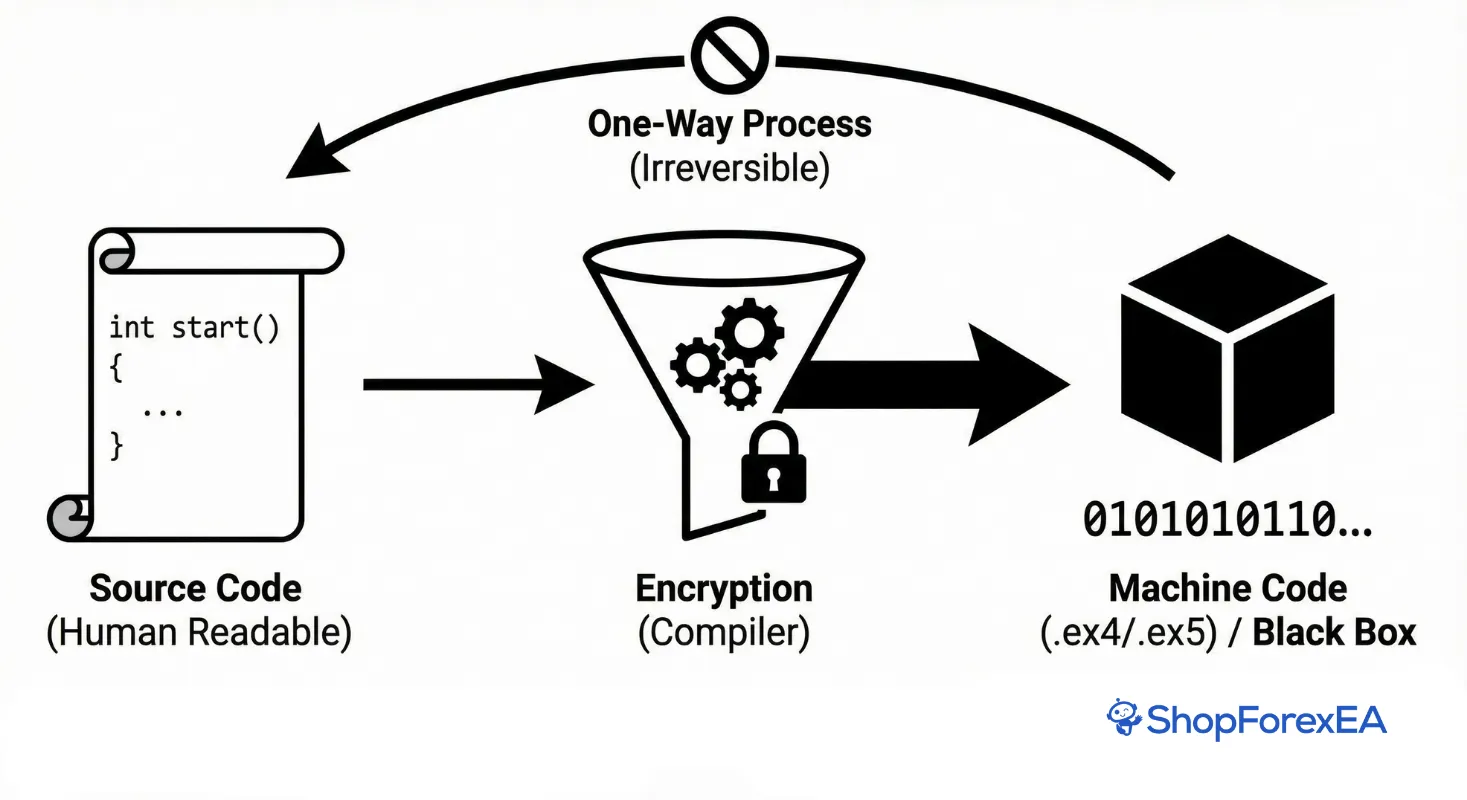
Figure 4: The ‘Black Box’ concept. Vendors sell .ex4 files to protect their trading logic from unauthorized modification and theft.
Can You Decompile .ex4 back to .mq4?
Before 2014 (MT4 Build 600 and earlier), this was relatively easy. However, MetaQuotes has since implemented robust encryption and security in modern Builds (1400+).
Today, decompilation is nearly impossible or prohibitively expensive. Even if hacked tools are used, the resulting code is often “Obfuscated” (variables named randomly like Var_1, Var_2) and is extremely difficult to understand or modify safely.
Need an EA that works on both MT4 and MT5?
Don’t waste time trying to crack old files. At Shop Forex EA, all our products are provided with dual versions:
- ✅ .ex4 Version: Optimized for traditional ECN MT4 accounts.
- ✅ .ex5 Version: Leveraging the multi-threaded backtesting speed of MT5.
We guarantee Lifetime Updates so your .ex4 files remain compatible with the latest MetaTrader builds.