









Blog
FIRESTORM SCALPER EA MT4 – Full Input Settings Analysis

FireStorm Scalper EA is an advanced automated trading tool for application on the MetaTrader 4 platform. This Expert Advisor employs advanced algorithms to implement high-frequency scalping strategies in the Forex market. It performs best with MetaTrader’s XAUUSD currency pair and can be used on any time frame. Regular updates help it keep pace with prevailing trading trends and market conditions, and it is therefore an excellent solution for automating Forex trading activities.
Buy FIRESTORM SCALPER EA product here
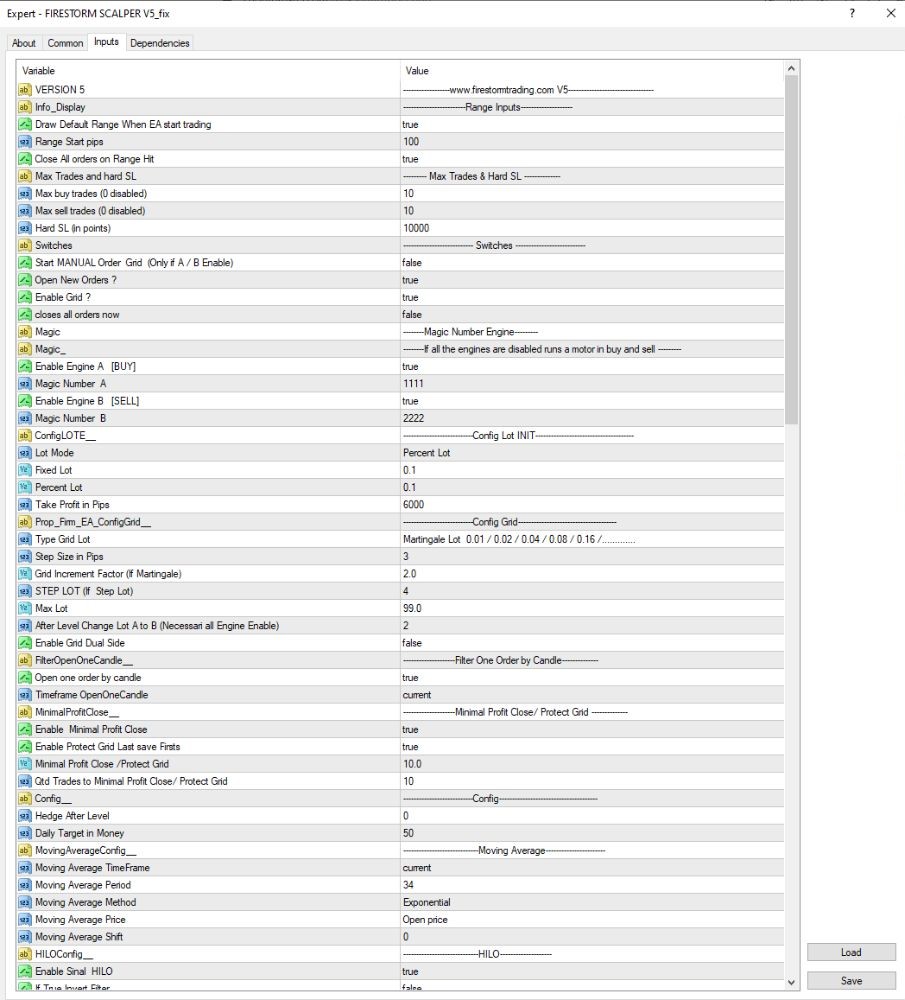
Set up strategy & trading volume
- Lot Mode: Percent Lot → Lot size as percentage of account balance.
- Percent Lot: 0.1 → Trades 0.1% of account balance (very safe).
- Max Trades & Hard SL: Max 10 trades; hard stop loss on at a loss of 100,000 (currency units).
- Take Profit in Pips: 6000 → Very large TP (600 pips), most appropriate for holding strategy for long periods.
- Grid Lot: Classic Martingale applied: 0.01 / 0.02 / 0.04 / 0.08 / 0.16. → Double each trade lot size.
- Grid Step: 3 pips → Small gap between orders.
- Grid Increment Factor: 2.0 → Double size each trade in the grid.
- Max Lot: 99.0 → No maximum lot size technically.
- STEP LOT: 4 → Step level to increase lot size.
- Dual Engine Buy/Sell: true → Allows both the BUY and SELL engines to run in parallel.
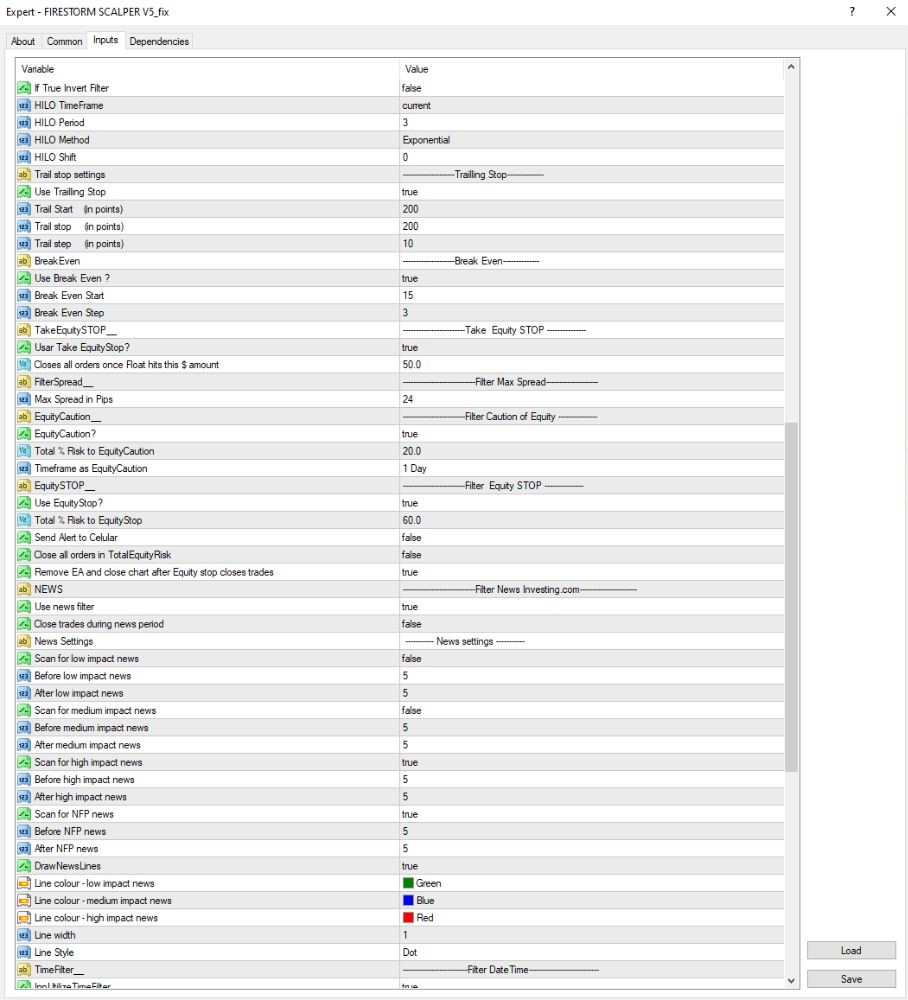
Equity Stop & Risk Management
- EquityCaution1: true → Trigger caution warning when drawdown reached 20%.
- EquityStop: true → Automatically close down the EA when overall loss reaches 60% of account equity.
- Delete EA upon SL by Equity: true → Automatically delete the EA from the chart when it is closed down due to massive loss.
- Max Spread: 24 pips → Permits very wide spread (dangerous — set this below 5 pips ideally).
- TakeEquityStop: true → Enables equity-based take profit mechanism (EA will stop trading when the account has a certain amount of profit).
Smart news filter
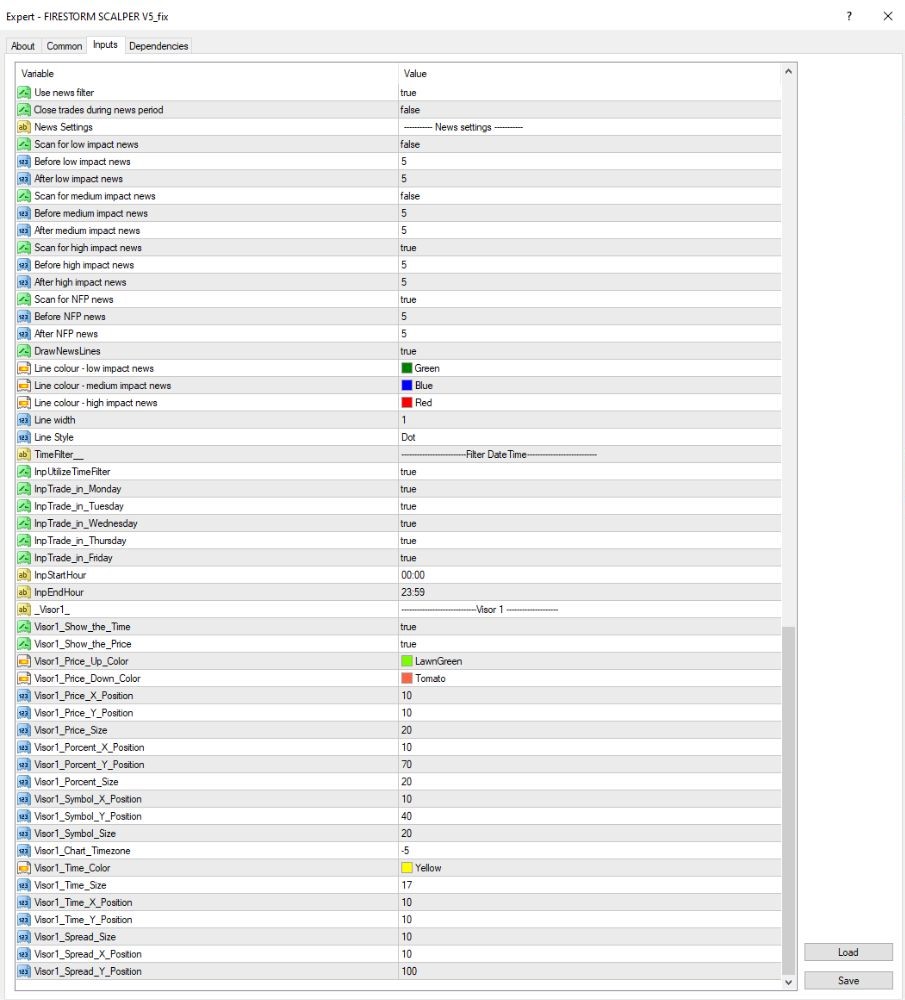
- Enable News Filter: true → Turn on news filter functionality.
- Scan News: Scans for news events 5 minutes before and after low, medium, high-impact, and NFP releases.
- Note: Skip only very high and high impact news. Low-impact news is skipped.
- Draw Alert Lines: Draws Green / Blue / Red lines on the chart to represent low, medium, and high-impact news events respectively.
- News Source: Investing.com
- Close Trades During News: false → The EA won’t close trades during news (higher risk; turn on if necessary).
Key Takeaways
- Advanced Scalping Strategy: Designed to capitalize on short-term market movement.
- Firestorm AI Integration: Increases trading capability.
- Personalizable Entries and Lot Sizes: Allows traders to customize trading protocols.
- News and Time Filters: Does not trade during high-impact events or specific times.