









Blog
Forex Trading Software: Your Complete Guide to Automated Trading Tools


You’re looking for a way to make forex trading easier and more profitable. Forex trading software might be exactly what you need. These powerful tools can help you analyze markets, execute trades, and manage your money – all while you sleep.
Let me walk you through everything you need to know about forex trading software. By the end of this guide, you’ll understand how these tools work and which one might be right for you.
What Is Forex Trading Software?
Forex trading software is a computer program that helps you trade foreign currencies. Think of it as your personal trading assistant that never gets tired or emotional.
These programs connect to your broker’s servers and can:
- Show you real-time currency prices
- Display charts and technical indicators
- Execute trades automatically based on your rules
- Manage your risk by setting stop-losses
- Alert you when market conditions change
According to Investopedia, the forex market trades over $7.5 trillion daily. That’s a lot of opportunities – but also a lot of data to analyze. Software helps you process this information quickly and accurately.
Types of Forex Trading Software
Not all trading software is the same. Each type serves a different purpose. Let’s look at the main categories:
Trading Platforms
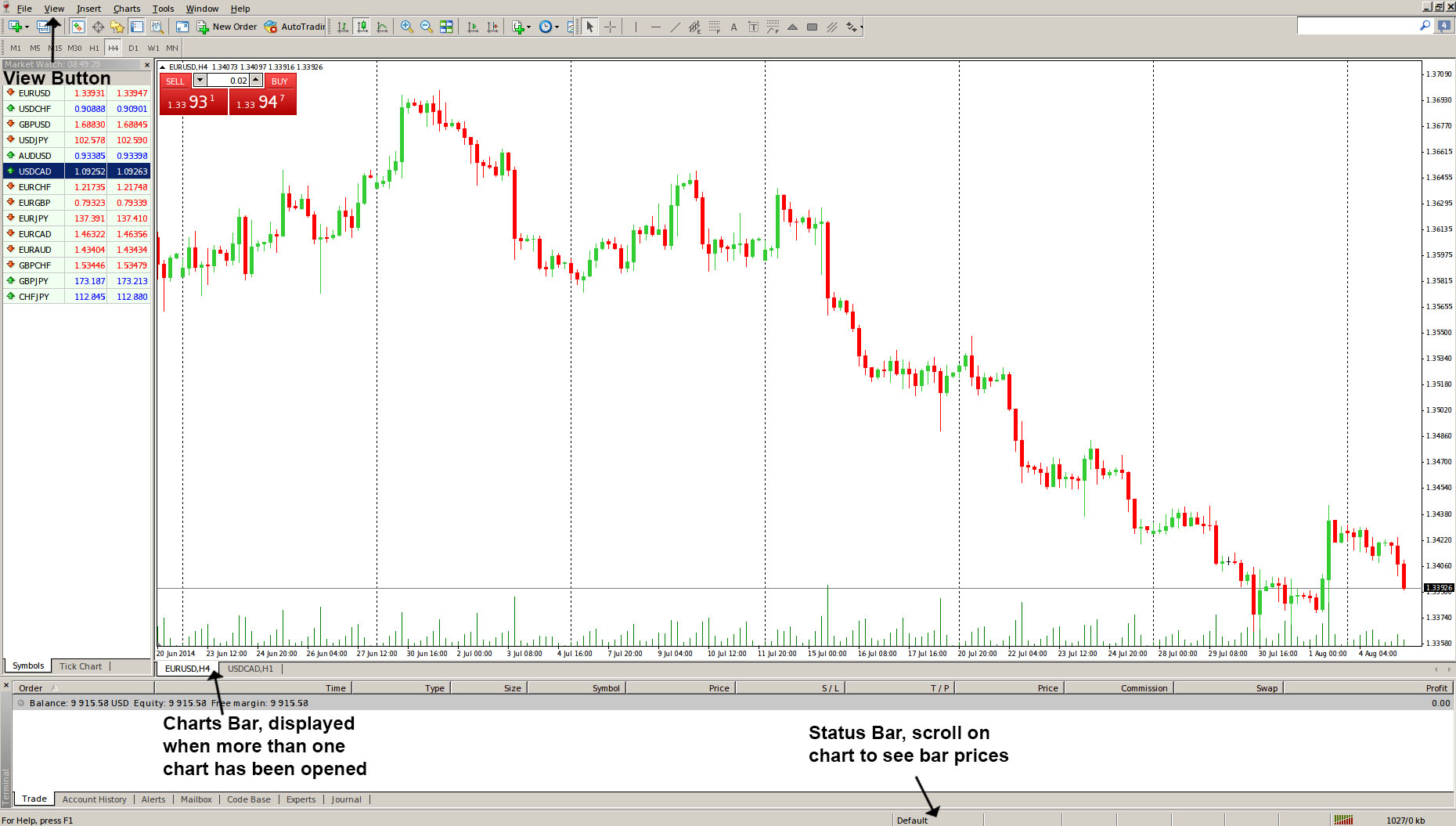
Trading platforms are the foundation of your forex trading. MetaTrader 4 (MT4) and MetaTrader 5 (MT5) are the most popular options. These platforms let you:
- View price charts in multiple timeframes
- Place and manage trades manually
- Use technical indicators like moving averages
- Run automated trading robots (Expert Advisors)
Expert Advisors (EAs)
Expert Advisors are programs that trade for you automatically. They follow specific rules you set up. For example, an EA might buy EUR/USD when the price crosses above a moving average.
You can find many Expert Advisors on ShopForexEA that handle different trading strategies.
Signal Software
Signal software analyzes the market and tells you when to buy or sell. Unlike EAs, signals don’t trade automatically – you decide whether to follow their advice.
Risk Management Tools
These tools help protect your money. They can:
- Calculate the right position size for each trade
- Set automatic stop-losses to limit losses
- Monitor your overall account risk
- Alert you when you’re taking too much risk
How Forex Trading Software Works
Understanding how trading software works helps you use it better. Here’s a simple breakdown:
1. Data Collection
The software connects to your broker’s servers. It receives price data for currency pairs like EUR/USD or GBP/JPY. This happens multiple times per second.
2. Analysis
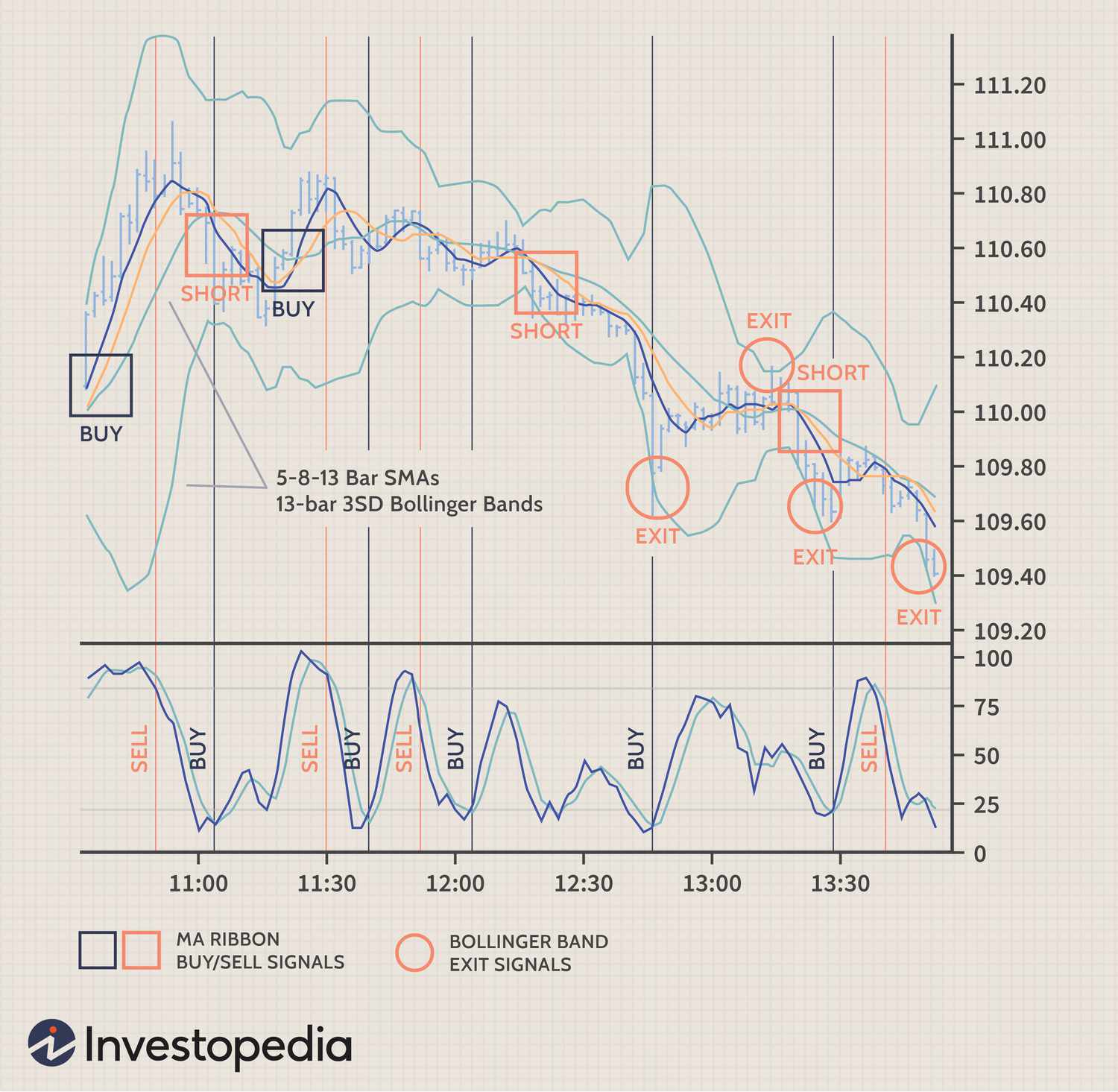
The software analyzes this data using technical indicators. Technical indicators are mathematical formulas that help predict future price movements. Common indicators include:
Moving Averages: Show the average price over a specific period
RSI (Relative Strength Index): Measures if a currency is overbought or oversold
MACD: Shows the relationship between two moving averages
3. Decision Making
Based on the analysis, the software decides whether to buy, sell, or do nothing. Good software follows strict rules to avoid emotional decisions.
4. Execution
When conditions are right, the software sends orders to your broker. This happens in milliseconds – much faster than you could click manually.
Benefits of Using Forex Trading Software
You might wonder if trading software is worth it. Here are the main advantages:
Speed and Efficiency
Software can analyze hundreds of currency pairs in seconds. According to BabyPips, successful forex trading often depends on split-second timing. Software never misses an opportunity because it was getting coffee.
Emotion-Free Trading
Fear and greed destroy many trading accounts. Software follows your rules exactly, without getting scared during losses or greedy during wins.
24/5 Market Coverage
The forex market runs 24 hours a day, five days a week. You can’t watch it constantly, but software can. It monitors markets while you work, sleep, or spend time with family.
Backtesting Capabilities
Backtesting means testing a strategy on historical data. You can see how your strategy would have performed in the past before risking real money.
Choosing the Right Forex Trading Software
Picking the right software is crucial. Here’s what to consider:
| Feature | Why It Matters | What to Look For |
|---|---|---|
| Compatibility | Software must work with your broker | MT4/MT5 support |
| User Interface | You need to understand what you’re seeing | Clear charts, easy navigation |
| Strategy Options | Different strategies work in different markets | Multiple built-in strategies |
| Risk Management | Protects your account from big losses | Stop-loss, position sizing |
| Support | You’ll need help sometimes | Documentation, customer service |
Common Forex Trading Software Strategies
Different software uses different strategies. Understanding these helps you choose the right tool:
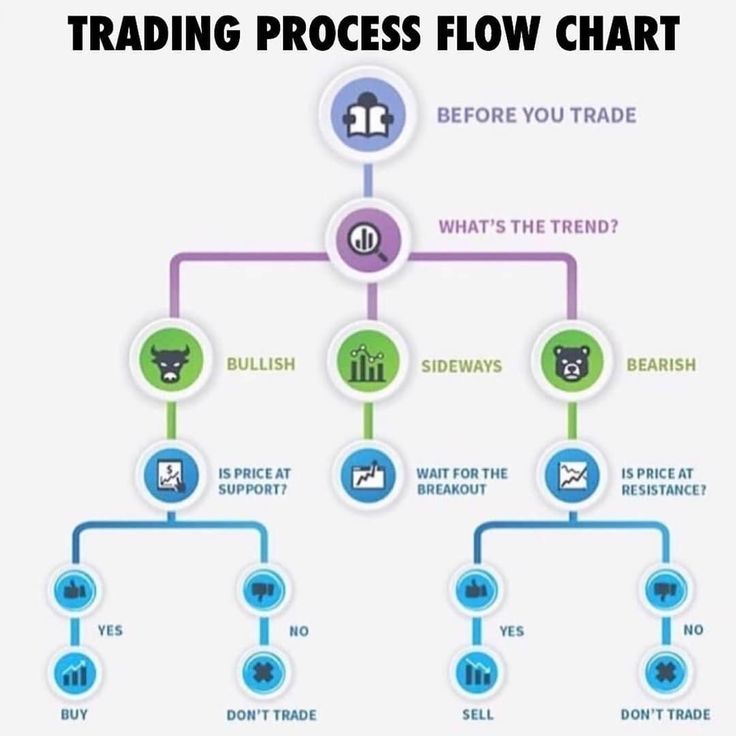
Trend Following
This strategy buys when prices go up and sells when they go down. It’s like surfing – you ride the wave until it ends. Trend following EAs work best in markets with clear direction.
Scalping
Scalping means making many small trades for tiny profits. Scalping software might make 50-100 trades per day, earning a few pips each time. *A pip* is the smallest price move in forex – usually 0.0001.
Grid Trading
Grid trading places buy and sell orders at regular intervals above and below the current price. It’s like setting up a fishing net – you catch profits no matter which way the market moves.
News Trading
Some software trades around economic news releases. When important data comes out, currencies can move quickly. News trading software tries to profit from these moves.
Setting Up Your Trading Software
Getting started with forex trading software isn’t hard. Follow these steps:
Step 1: Choose Your Platform
Download MT4 or MT5 from your broker. Most brokers offer free downloads on their websites.
Step 2: Install the Software
Run the installer and follow the prompts. The installation usually takes less than five minutes.
Step 3: Connect to Your Broker
Enter your account credentials. Your broker provides these when you open an account.
Step 4: Add Your Trading Software
If you’re using an EA or indicator, copy it to the correct folder. In MT4, this is usually:
C:Program FilesMetaTrader 4experts
Step 5: Configure Your Settings
Set your risk parameters, choose currency pairs, and adjust any strategy settings. Start with small position sizes while you learn.
Risk Management in Automated Trading
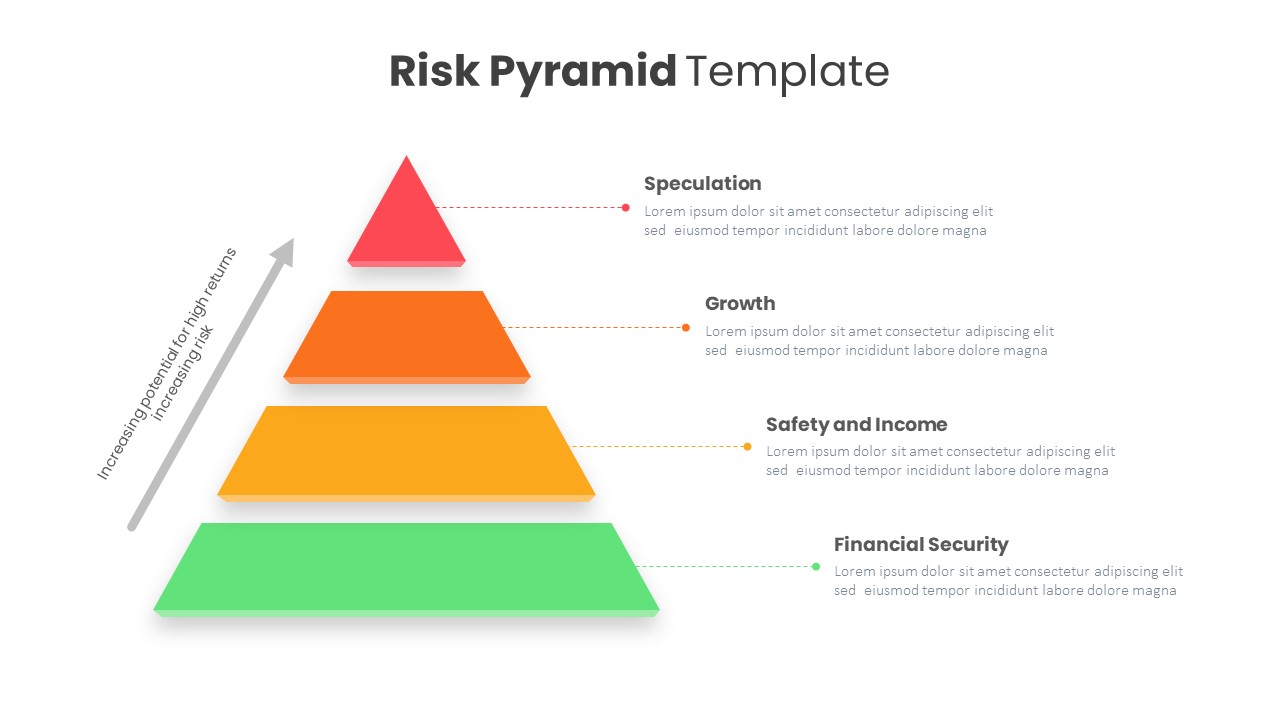
Risk management is the most important part of forex trading. Even the best software can lose money without proper risk controls.
Position Sizing
Never risk more than 1-2% of your account on a single trade. If you have $10,000, don’t risk more than $100-200 per trade. Good software calculates this automatically.
Stop Losses
A stop loss closes your trade if it goes against you. Always use stop losses. Software should set these automatically based on market conditions.
Maximum Drawdown
Drawdown is how much your account drops from its peak. Set a maximum drawdown limit. If your software loses 20% of your account, it should stop trading until you review what went wrong.
Common Mistakes to Avoid
Learning from others’ mistakes saves you money. Here are common pitfalls:
Over-Optimization
Over-optimization means making your strategy too perfect for past data. It’s like memorizing test answers instead of learning the subject. Your software might fail when market conditions change.
Ignoring Market Conditions
No strategy works all the time. Trend-following software struggles in choppy markets. Range-trading software fails when strong trends develop. Monitor your software’s performance and adjust when needed.
Poor Money Management
Even profitable software can blow up your account with bad money management. According to Google’s data on forex trading, most traders fail because of poor risk management, not bad strategies.
Testing Your Trading Software
Never trade real money without testing first. Here’s how to test properly:
Backtesting
Run your software on historical data. See how it would have performed over the past year or more. Look for:
- Total profit or loss
- Maximum drawdown
- Win rate percentage
- Average profit per trade
Forward Testing
After backtesting, run your software on a demo account. Demo accounts use fake money but real market prices. Test for at least one month before using real money.
Live Testing
Start with a small live account. Even if demo testing went well, use minimal position sizes at first. Increase gradually as you gain confidence.
The Future of Forex Trading Software
Trading software keeps evolving. Here’s what’s coming:
Artificial Intelligence
AI-powered software learns from market patterns. Instead of following fixed rules, it adapts to changing conditions. Some AI trading robots already show promising results.
Cloud-Based Solutions
Cloud software runs on remote servers instead of your computer. You can monitor and adjust your trades from any device, anywhere.
Social Trading Integration
Social trading lets you copy successful traders automatically. Future software will combine AI analysis with human expertise.
Making Your Decision
Choosing forex trading software is an important decision. Consider these final points:
Your Experience Level: Beginners should start with simple trend-following or support/resistance software. Save complex strategies for later.
Your Time Commitment: If you can monitor trades actively, semi-automated software works well. If you’re busy, fully automated solutions make more sense.
Your Risk Tolerance: Conservative traders should choose software with strong risk management features. Aggressive traders might prefer scalping or news trading tools.
Your Budget: Good software ranges from $50 to several thousand dollars. Start modestly and upgrade as you profit.
Conclusion
Forex trading software can transform your trading results. It eliminates emotions, operates 24/5, and executes trades with perfect discipline. But remember – software is a tool, not magic. Success still requires proper setup, testing, and risk management.
Start by choosing a platform like MT4 or MT5. Add a simple EA or signal service. Test thoroughly on demo accounts. When you’re ready, begin live trading with small positions.
The forex market offers incredible opportunities. With the right software and approach, you can capture your share of the $7.5 trillion daily volume. Take your time, learn properly, and let technology work for you.
Visit ShopForexEA to explore proven trading software that fits your needs and budget. Your journey to automated trading success starts with the right tools.