









Blog
MetaTrader 5 (MT5): Complete Guide to Features, Download, Installation, and Forex Trading


MetaTrader 5 (MT5) serves as a leading multi-asset trading platform that combines advanced charting, automated trading tools, and seamless execution for forex, stocks, futures, and CFDs, making it ideal for traders at any level. This guide covers everything from its core definition to step-by-step installation, key features tailored for forex, account setup, and your first trade. You get free access to demo accounts right away, so you can practice without risk. Whether you trade on desktop, mobile, or web, MT5 handles high-volume forex pairs like EUR/USD with precision.
MT5 comes at no cost for download, basic use, and demo trading across all platforms. Brokers provide the software through their servers, which opens the door to live markets once you fund an account. This setup keeps barriers low for beginners exploring currency pairs.
Downloading and installing MT5 takes just minutes via official sources or brokers, supporting Windows, Mac, iOS, Android, and web browsers. You follow simple steps to get charts live, test strategies, and connect to real-time data feeds. Mobile versions mirror desktop power, perfect for on-the-go trades.
Ready to build your trading setup? The sections below break down MT5 from basics to execution, so you can start trading forex confidently.
What Is MetaTrader 5 (MT5)?
MetaTrader 5 (MT5) is a multi-asset trading platform developed by MetaQuotes Software for trading forex, stocks, futures, and CFDs with advanced tools like 80+ indicators and algorithmic trading. Let’s explore its foundational role in the forex market.
MT5 stands out as a versatile hub for traders. It supports multiple asset classes beyond just currencies, which means you handle forex pairs alongside commodities or indices in one interface. Think of it as your control center: real-time quotes, customizable charts, and one-click trading keep you ahead.
Specifically, its purpose centers on empowering retail traders with professional-grade features. You access depth of market (DOM) for better liquidity views, economic calendars for news events, and backtesting for strategy refinement. In forex, where volatility rules, these tools help spot trends in pairs like GBP/JPY.
Who Developed MetaTrader 5 and When Was It Released?
MetaQuotes Software created MetaTrader 5, releasing it in 2010 as an upgrade from MT4 with enhanced speed, hedging support, and multi-asset capabilities. This developer, based in Cyprus, focuses on trading tech since 2000.

For instance, the 2010 launch addressed MT4 limits like single currency focus. MT5 added 21 timeframes and netted positions, drawing millions of users. Key evolutions include 2012 mobile apps for iOS/Android and 2017 web terminal improvements.
MetaQuotes licenses MT5 to brokers worldwide, ensuring secure updates. You benefit from regular patches fixing bugs and adding features like partial order fills. Research from Finance Magnates shows MT5 powering over 1,000 brokers, with user growth tied to its 64-bit architecture for faster execution.
Traders notice smoother performance during high-volatility sessions, such as NFP releases. Compared to rivals, MT5’s open API lets you code custom Expert Advisors (EAs) in MQL5, a language more powerful than MQL4.
Why does this matter for forex? Development history guarantees reliability. You trade knowing the platform evolves with market needs, from mobile push notifications to VPS integration for 24/7 bots.
Back to MT5’s core: its multi-asset design shines in forex. You switch from EUR/USD spot to futures seamlessly. Built-in strategy tester simulates years of data in minutes, vital for optimizing scalping or swing strategies.
Community aspects add value. The MQL5 marketplace offers free/paid indicators, signals, and EAs. Over 10,000 apps wait, vetted for quality. Forex traders use this to copy pro signals directly.
Security features protect your trades. Two-factor authentication, encrypted connections, and trade history logs prevent issues. Regulated brokers enforce this, aligning with FCA or ASIC standards.
In practice, MT5’s depth helps beginners grasp pips, spreads, and leverage. Pros leverage its economic calendar for event-driven trades. Have you considered how one platform unifies your workflow?
Is MetaTrader 5 Free to Use?
Yes, MetaTrader 5 is free to download, install, and use for demo trading because MetaQuotes provides it at no cost, brokers host servers without fees for basics, and premium features come via broker subscriptions only if needed. Here’s the breakdown on its accessibility and cost structure.
MT5’s free model lowers entry barriers. You grab the software from official sites or brokers, run unlimited demo accounts with virtual funds, and test forex strategies endlessly. No subscriptions for core tools like charts or indicators.
Brokers earn through spreads or commissions on live trades, so they offer MT5 gratis. Popular ones like IC Markets or Pepperstone provide custom builds with extras like faster execution. You pick based on your region and assets.
For live trading, costs shift to broker fees. Spreads on majors like USD/JPY average 0.1 pips, swaps apply overnight. Demo stays free forever, ideal for backtesting EAs without risk.
Think about mobile use: apps mirror desktop for free, with push alerts on trades. Web version needs no install, just a browser. This flexibility suits travelers monitoring AUD/USD swings.
Hidden perks include free VPS trials from some brokers, reducing latency for scalpers. Community forums share free scripts, extending value.
You avoid upfront costs, unlike some platforms charging $100+ monthly. Data from Myfxbook confirms 90% of MT5 users start on demo, transitioning smoothly.
Regulations ensure fairness. Free access doesn’t mean free signals; marketplace purchases are optional, around $30-200.
Forex beginners ask: can I trade live without paying for MT5? Absolutely, fund via broker (min $100 often), and go. Micro accounts scale lots to 0.01, matching small budgets.
Live trading nuances: leverage up to 1:500 amplifies gains/losses, but free risk tools like stop-loss help. Broker choice dictates extras like rebates.
In summary for costs: core platform zero, trading variable by broker. Test EUR/GBP on demo first. This structure fuels MT5’s 10 million+ downloads.
Extended use cases show value. Day traders run multiple charts free; algos deploy via free tester. No limits on indicators or timeframes sharpen edge.
How Do You Download and Install MetaTrader 5?
Download and install MetaTrader 5 in 5-7 simple steps per platform, resulting in a fully operational trading terminal connected to demo or live servers. To understand this better, follow the setup process.
Start with your device. For Windows, visit metaquotes.net or a broker like XM. Click “Download MT5 for Windows,” run the .exe (20MB), and follow prompts: accept terms, choose install path, finish.
Mac users get a native app from brokers or metaquotes. Drag to Applications, launch, login later. No Wine needed since 2020 updates.
Mobile: App Store (iOS) or Google Play (Android) search “MetaTrader 5.” Install (50MB), permit notifications, add demo account via + icon.
Web: Go to broker webtrader, login, no download. Instant charts.
Post-install, launch, select server (e.g., ICMarkets-Demo), enter login/password from broker email.
What Are the System Requirements for MT5?
MT5 requires Windows 10/11 (64-bit), 4GB RAM minimum, Intel Core i3 or better, and 200MB disk space, with broker-specific server compatibility. Specifically, desktops need DirectX 11 for charts.
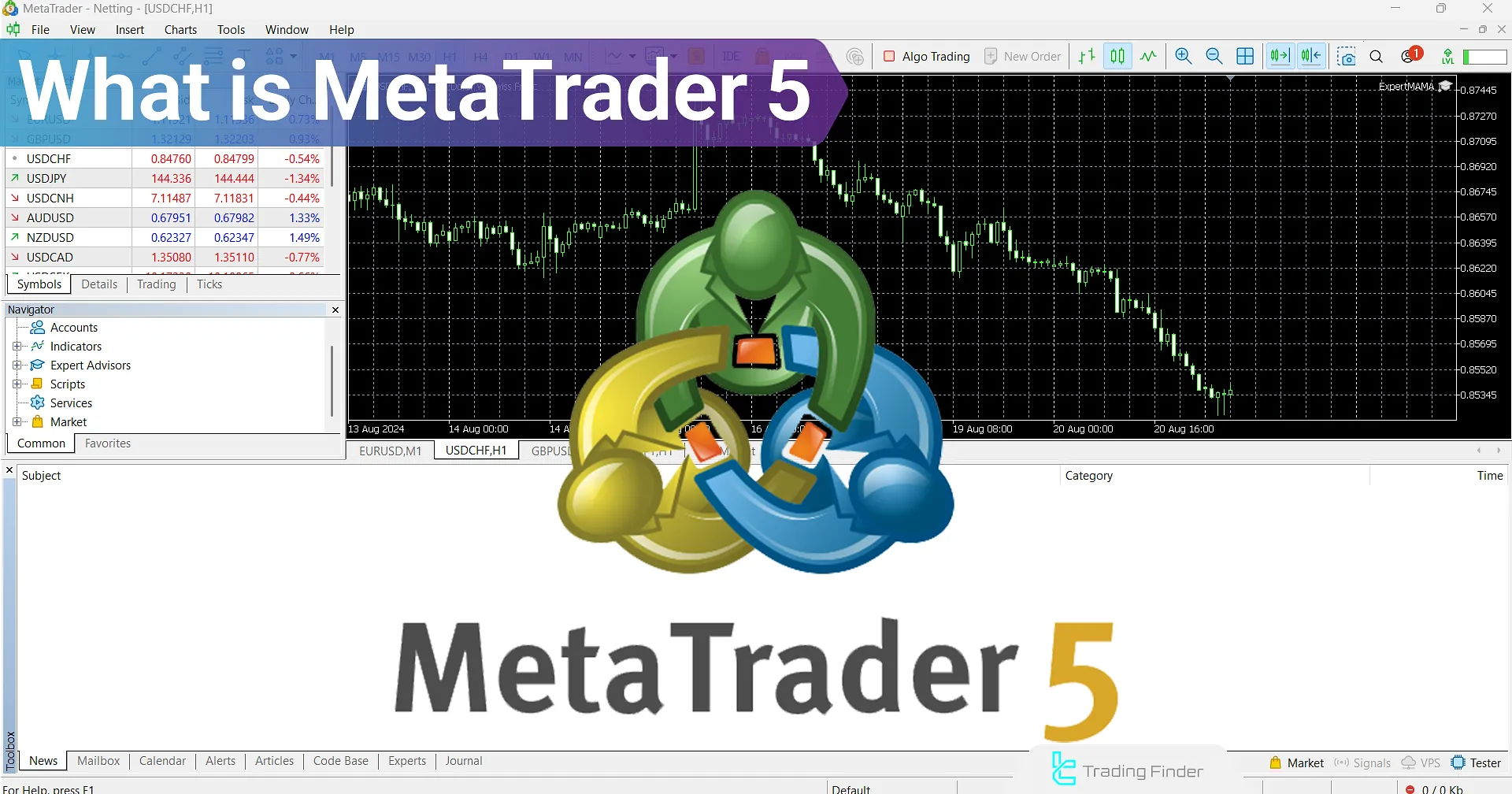
For Windows, 8GB RAM recommended for multi-chart setups. Macs: macOS 10.15+, same RAM. Mobile: iOS 12+, Android 5.0+, 2GB RAM.
Brokers like FBS ensure compatibility. Low-end PCs handle basics; high-frequency needs SSD, 16GB RAM.
Evidence from MetaQuotes: 64-bit optimizes memory for 100+ charts. Test on demo to verify.
How Do You Choose the Right MT5 Download Source?
Choose official MetaQuotes website or licensed brokers like IC Markets for secure, updated MT5 builds without malware risks. Official site offers vanilla version; brokers add plugins.

Verify broker regulation (CySEC, ASIC). Avoid third-party sites per user reports on Forex Peace Army.
Broker versions include pre-loaded EAs. For forex, pick low-spread ones.
Post-download, scan with antivirus. Updates auto-apply.
Troubleshooting: firewall blocks? Allow MT5.exe. Proxy? Set in Tools>Options.
Full install guide expands: customize shortcuts, set auto-trading. Mobile syncs layouts.
Why steps matter? Quick setup means trading sooner. Practice on demo GBP/USD.
What Are the Key Features of MT5 for Forex Trading?
MetaTrader 5 offers key forex features like 80+ indicators, 21 timeframes, advanced charting, and order management for precise multi-asset execution. Let’s see these core trading functionalities in action.
Charting dominates: rename symbols, drag objects, volume profiles. Forex shines with tick charts for scalping.
Strategy tester backtests with 99% accuracy, multi-threaded. Optimize EAs on M1-H4.
Depth of market shows bids/asks, vital for liquidity.
What Types of Charts and Analysis Tools Does MT5 Offer?
MT5 provides candlestick, bar, and line charts across 21 timeframes, plus 38 built-in indicators and 44 graphical objects for analysis. Candlesticks visualize patterns like doji on EUR/USD.

Indicators: Moving Averages, RSI, MACD, explained as trend/momentum tools. Custom via MQL5.
Objects: Fibonacci, channels for support/resistance.
What Order Types Are Available in MetaTrader 5?
MT5 supports market, pending (buy/sell limit/stop), stop-limit, and SL/TP orders tailored for forex hedging/netting. Market executes instantly at current price.
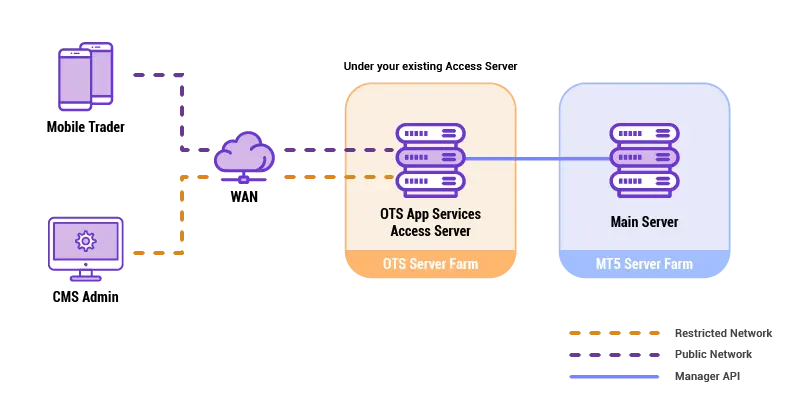
Pending: limit for better entries, stop for breakouts.
Forex specifics: partial closes, trailing stops auto-adjust.
These features total pro-level control. Calendar integrates news. Signals copy trades.
How Do You Set Up a Demo or Live Account in MT5?
Set up a demo or live MT5 account by selecting a regulated broker, registering online, downloading their MT5 build, and logging in with provided credentials for instant access. In detail, this initializes your forex trading.
1. Choose broker: XM, low spreads.
2. Register: email, verify ID.
3. Download broker MT5.
4. Launch, File>Login to Trade Account.
5. Select server (Demo/Live), enter login/password.
Demo: virtual $10k. Live: fund via card/bank (min $5-200).
Verify connection: quotes update. Customize charts.
Risk: leverage settings. Practice pairs like USD/CAD.
Switch accounts easy. Multi-account via profiles.
Broker support chats help. Why demo first? Builds skills.
Funding: Skrill, Neteller fast. Withdrawals mirrored.
How Do You Place Your First Forex Trade in MetaTrader 5?
Place your first forex trade in MT5 by selecting a symbol like EUR/USD, opening the order window, setting volume/lots/SL/TP, and clicking Buy/Sell for execution. Walk through the basic trading workflow.
1. Charts: New Chart, pick EUR/USD.
2. Market Watch: right-click symbol, Trade.
3. Order: volume 0.01 lot, stop-loss 20 pips.
4. Execute: confirm.
Monitor in Terminal>Trade tab. Close via right-click.
Risk management: 1% rule per trade.
Why? Protects capital. Backtest first.
Practice on demo. Analyze in History.
Advanced: one-click trading button.
Advanced MT5 Topics and Comparisons
MetaTrader 5 advances beyond MT4 with 64-bit architecture, built-in hedging and netting, more timeframes, and MQL5 for superior strategy testing and multi-asset trading.
Furthermore, these elements address key trader concerns about performance, automation, and versatility in forex and beyond.
What Is the Difference Between MT5 and MT4?
MT5 and MT4 differ fundamentally in architecture and functionality, making MT5 better suited for modern trading demands. MT5 uses a 64-bit architecture, allowing it to handle larger datasets and more complex calculations without crashing, unlike MT4’s 32-bit limit that often restricts backtesting on extensive history. MT5 supports 38 timeframes compared to MT4’s 9, enabling finer granularity for scalpers and long-term analysts. Order execution sets them apart too: MT5 offers both hedging and netting systems, where hedging lets traders open multiple positions in opposite directions on the same pair, while netting consolidates them into one. MT4 only supports hedging, limiting brokers using netting.

You’ll notice MT5’s partial order fills and improved economic calendar integration provide real-time insights MT4 lacks. For forex traders upgrading, this means smoother transitions to stocks or futures without platform switches.
This comparison highlights why many brokers now prioritize MT5.
- MT5’s multi-asset engine processes stocks, futures, and options natively, unlike MT4’s forex focus.
- Strategy Tester in MT5 uses genetic algorithms for faster optimizations, absent in MT4.
- Cross-platform syncing works seamlessly in MT5 across desktop, web, and mobile.
What Are the Advanced Strategy Testing Capabilities in MT5?
MT5’s Strategy Tester stands out with multi-threaded processing and genetic algorithms, allowing traders to optimize Expert Advisors (EAs) on years of tick data in minutes. Unlike basic single-threaded tests, it distributes computations across CPU cores, speeding up results by up to 100 times on multi-core systems. Genetic algorithms mimic evolution to test thousands of parameter combinations efficiently, finding optimal settings without exhaustive brute-force runs that could take days.
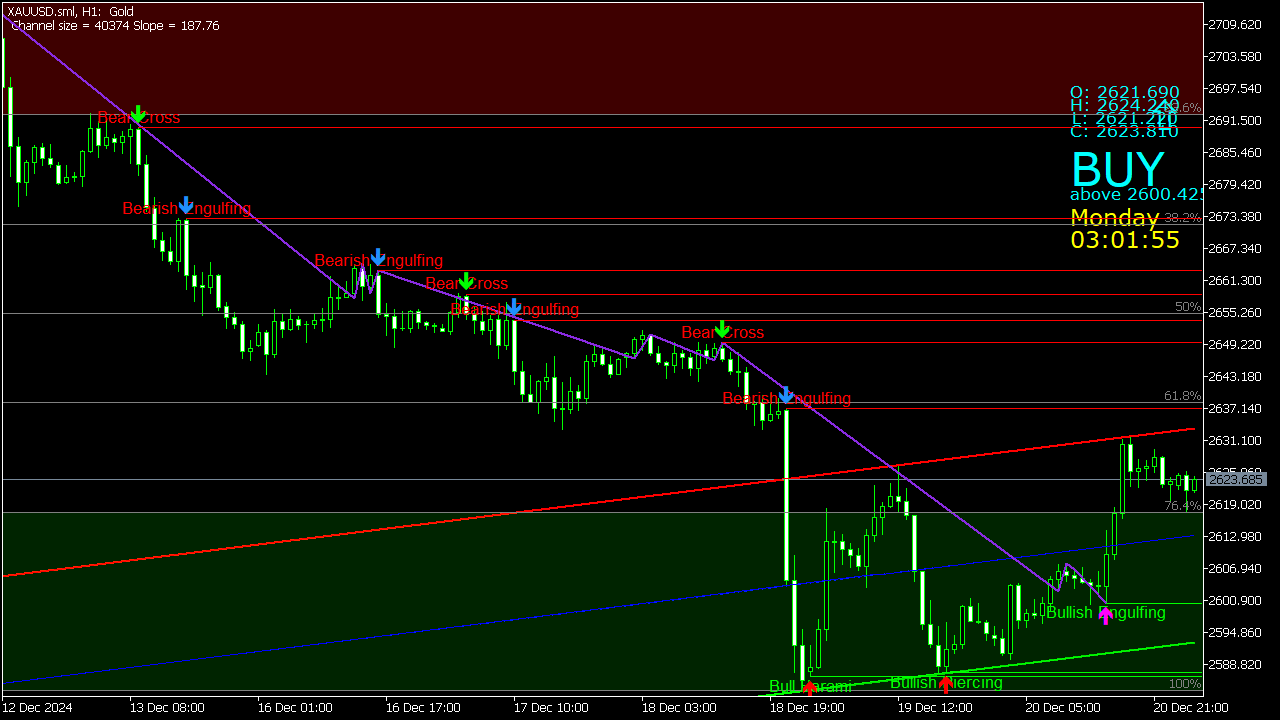
Traders can forward-test strategies in visual mode, simulating real-market conditions with slippage and spreads. The tester supports all execution types, including market, pending, and stop orders, with detailed reports on profit factor, drawdown, and Sharpe ratio.
How does this benefit forex trading? It reduces overfitting risks, helping develop robust EAs for volatile pairs like GBP/USD.
These tools make MT5 ideal for quantitative traders.
- Import custom symbols and tick data from brokers for precise historical simulations.
- Cloud network testing distributes load across MetaQuotes servers for even faster results.
- MQL5 backtest agents allow shared computing power among users.
How Does Market Depth Work in MetaTrader 5?
Market Depth in MT5, or Depth of Market (DOM), displays real-time buy and sell orders at various price levels, giving forex traders visibility into order book liquidity beyond simple quotes. Accessed via the DOM window, it shows aggregated volumes from liquidity providers, bid/ask stacks up to hundreds of levels deep. This helps predict short-term price moves, like resistance from large sell walls.
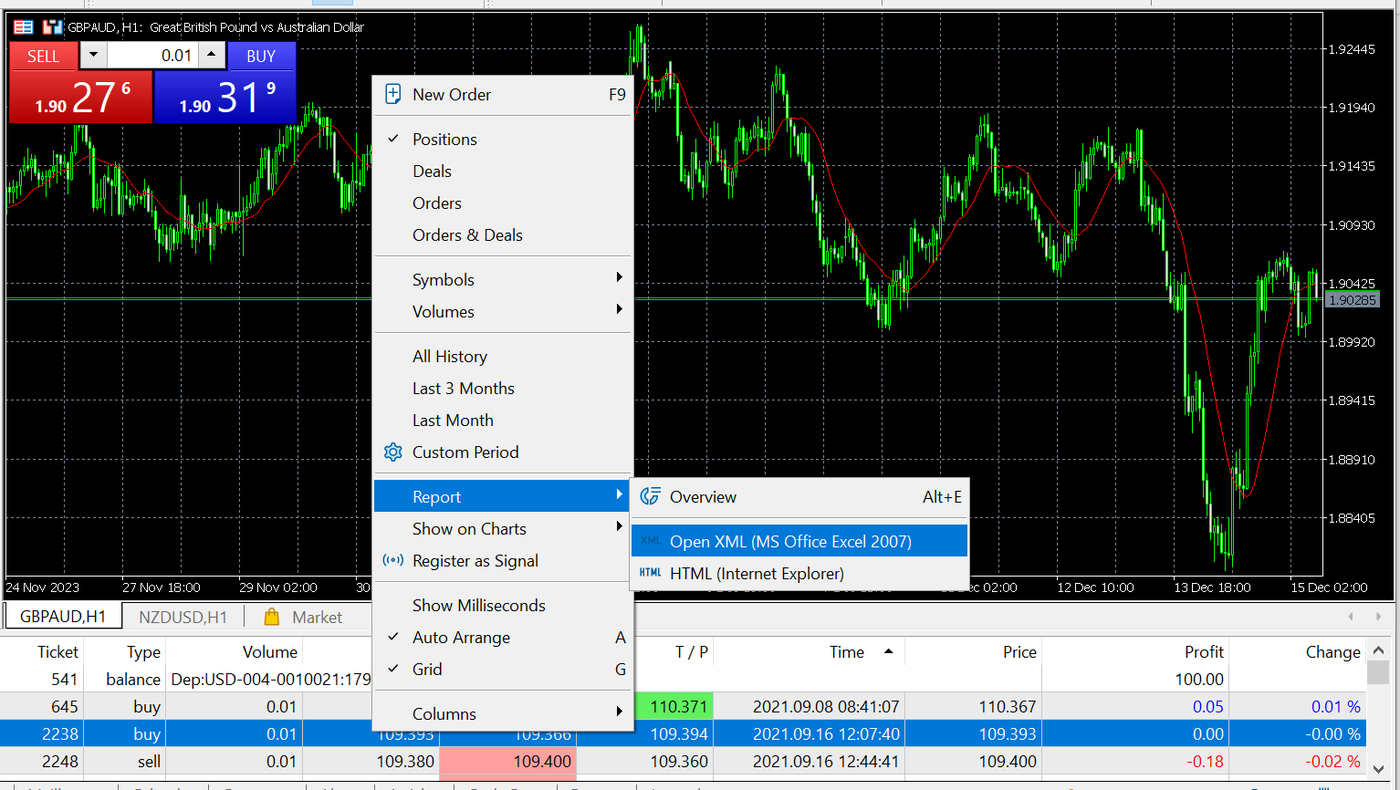
In forex, where quotes come from multiple banks, DOM reveals imbalances, such as heavy bids signaling support. Traders place limit orders directly in the DOM for precise entries.
Why use it over basic charts? It uncovers hidden supply/demand, crucial during news events.
MT5’s DOM updates in real-time with one-click trading integration.
- Customize columns for volume, price spread, and cumulative totals.
- Supports symbols beyond forex, like CFDs on indices.
- Export data for external analysis in tools like Excel.
What Is MQL5 and How Does It Differ from MQL4?
MQL5 is an object-oriented programming language for creating EAs, indicators, and scripts in MT5, evolving from MQL4 with classes, inheritance, and events for modular code. MQL4, used in MT4, relies on procedural functions, limiting reusability. MQL5 handles 64-bit operations natively, supporting arrays up to billions of elements for complex strategies.

Libraries and standard functions in MQL5 speed development, like built-in matrix math for machine learning models. It includes a debugger with breakpoints and watches, absent in MQL4’s basic editor.
For forex coders, MQL5’s event-driven model reacts faster to ticks and trades.
This upgrade future-proofs automation efforts.
- Access to MQL5.community for free/paid code marketplace.
- Native support for multi-currency testing and hedging.
- Integration with MT5’s Strategy Tester for seamless deployment.
Can You Use Automated Trading (EAs) in MT5 for Forex?
Yes, MT5 fully supports Expert Advisors for automated forex trading, enhanced by marketplace access and VPS hosting. Drag EAs from the Navigator to charts, set parameters, and enable AutoTrading. The marketplace offers thousands of verified EAs, indicators, and signals, with ratings and live performance stats.

VPS integration runs EAs 24/7 without local PC, maintaining low latency. Risk managers prevent drawdown blowouts.
Does it outperform manual trading? Backtests show consistent edges on pairs like EUR/USD with proper optimization.
MT5’s EA framework scales for portfolios.
- One-click import from MQL5 Code Base or freelance jobs.
- Signals service copies trades from providers automatically.
- Journal logs every action for compliance audits.
What Mobile Features Make MT5 Unique for Forex Traders?
MT5 mobile apps deliver push notifications, one-click trading, and an integrated economic calendar, enabling on-the-go forex management unmatched by many rivals. iOS and Android versions mirror desktop charts with 80+ indicators and 21 timeframes. Push alerts notify on trade executions, price levels, or news, even offline.

One-click trading executes market orders instantly, vital for volatile sessions. The economic calendar shows impact-rated events with forecasts, directly on charts.
How does this aid mobile-first traders? It combines analysis and execution without desktop dependency.
Cross-device sync keeps positions updated everywhere.
- Gesture-based charting for quick zooms and drawings.
- Full order management, including trailing stops.
- Offline mode previews charts from last sync.
How Does MT5 Support Multi-Asset Trading Beyond Forex?
MT5 supports futures, options, stocks, and bonds with dedicated portfolio tools, expanding from forex via its universal account system. Trade CFDs on equities like Apple or indices like S&P 500 alongside currency pairs. Portfolio analysis tracks net exposure, correlations, and diversification metrics in one dashboard.
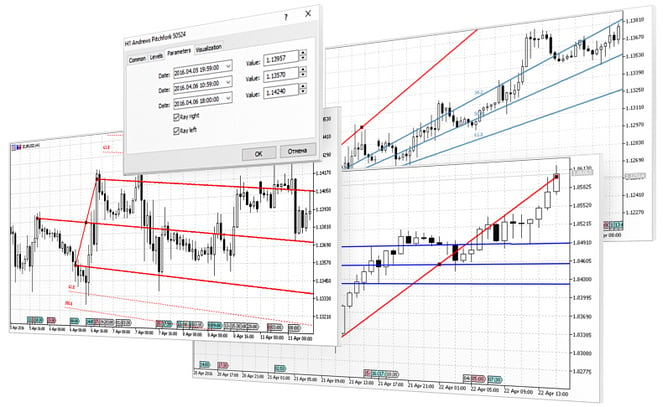
Futures get proper margin calculations and expiration handling, options include Greeks display. Netting consolidates positions across assets.
Why go multi-asset? It hedges forex risks with stock rallies.
MT5 unifies workflows for diverse portfolios.
- Custom symbols for non-standard instruments.
- Depth of Market for futures liquidity.
- Reports on VaR and scenario analysis.