









Blog
Top 5 Forex Trading Platforms for 2025 (Reviewed)

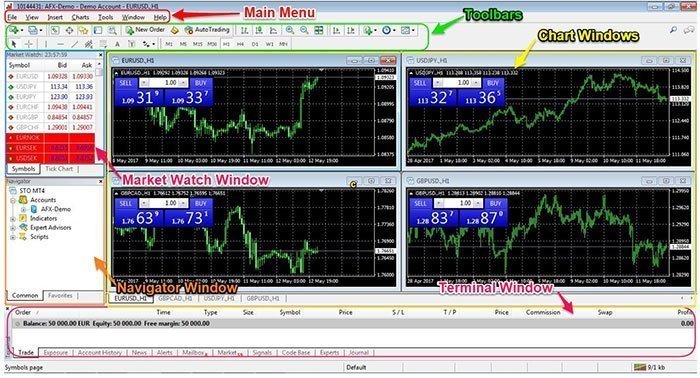
If you’re searching for the best forex trading platforms in 2025, you’ve come to the right place. I’ve spent countless hours testing and analyzing the top platforms to help you make an informed decision. Whether you’re a beginner just starting your trading journey or an experienced trader looking to switch platforms, this comprehensive review will guide you through the essential features, costs, and performance of each platform.
Before diving into our top picks, let me share an important consideration: automated trading has become increasingly popular among forex traders. If you’re interested in using Expert Advisors (EAs) to automate your strategies, you’ll want a platform that supports them. For instance, the Nexus EA Forex is one of many powerful tools that can transform your trading approach when paired with the right platform.
How Do Forex Trading Platforms Actually Work?
Think of a forex trading platform as your digital gateway to the global currency markets. Just like you need a web browser to access websites, you need a trading platform to buy and sell currencies. These platforms connect you directly to the forex market, displaying real-time price quotes and executing your trades within milliseconds.
When you place a trade, here’s what happens behind the scenes:
- You analyze the market using the platform’s charts and indicators
- You decide to buy or sell a currency pair (like EUR/USD)
- You enter your trade size and click “Buy” or “Sell”
- The platform sends your order to your broker’s servers
- Your broker matches your order with the best available price
- The trade is executed, and you see the position in your account
What Should You Look for in a Trading Platform?
Not all platforms are created equal. Based on my experience and feedback from thousands of traders, here are the essential features you should prioritize:
- User Interface: Can you navigate easily without getting lost?
- Charting Tools: Are there enough indicators and drawing tools?
- Order Types: Does it support market, limit, stop, and trailing stop orders?
- Mobile Trading: Can you trade on your phone when away from your computer?
- Automated Trading Support: Does it allow Expert Advisors and custom scripts?
- Execution Speed: How quickly are your orders filled?
- Stability: Does the platform crash during high volatility?
Top 5 Forex Trading Platforms for 2025
1. MetaTrader 4 (MT4) – The Industry Standard
MetaTrader 4 remains the most popular choice among forex traders worldwide. Despite being over two decades old, MT4’s reliability and extensive features keep it at the top of our list.
Key Features:
- Supports unlimited Expert Advisors (EAs)
- Over 50 built-in technical indicators
- Advanced charting with 9 timeframes
- One-click trading functionality
- Available on Windows, Mac, iOS, and Android
Pros:
- Massive community and resources
- Thousands of custom indicators and EAs available
- Lightweight and fast execution
- Free to use with most brokers
Cons:
- Outdated interface design
- Limited to forex and CFDs (no stocks)
- No built-in economic calendar
According to Investopedia, MT4 processes over 90% of retail forex trades globally, making it the undisputed leader in market share.
2. MetaTrader 5 (MT5) – The Advanced Evolution
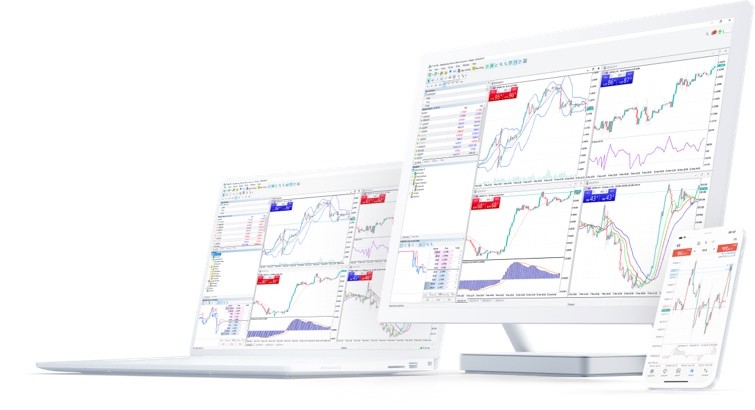
MetaTrader 5 is the successor to MT4, offering enhanced features and multi-asset trading capabilities. While adoption has been slower than expected, MT5 is gaining momentum in 2025.
Key Features:
- 21 timeframes (compared to 9 in MT4)
- 80+ technical indicators
- Built-in economic calendar
- Depth of Market (DOM) display
- Strategy tester for backtesting EAs
Pros:
- More powerful than MT4
- Better for stock and futures trading
- Improved strategy tester
- Native hedge and netting modes
Cons:
- Fewer available EAs than MT4
- Steeper learning curve
- Some brokers don’t offer it
3. cTrader – The Professional’s Choice
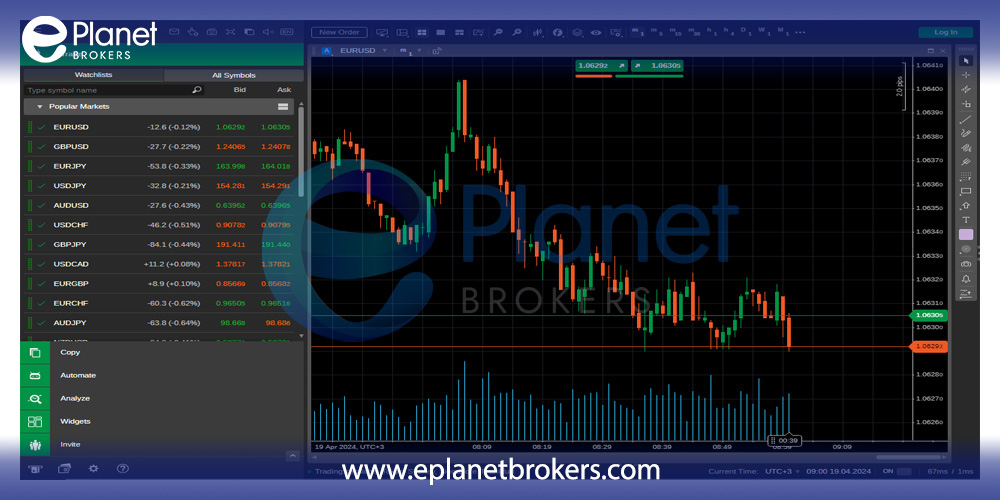
cTrader has emerged as a serious competitor to MetaTrader, especially among professional traders who value transparency and advanced features.
Key Features:
- Level II pricing (market depth)
- Detachable charts
- Advanced order protection
- Cloud synchronization
- cAlgo for automated trading
Pros:
- Modern, intuitive interface
- Superior charting capabilities
- Transparent order execution
- Built-in copy trading
Cons:
- Limited broker availability
- Smaller community than MT4/MT5
- Fewer third-party tools
4. TradingView – The Web-Based Innovator
TradingView revolutionized online charting and has now evolved into a full-featured trading platform. Its social features and powerful analytics make it unique in the market.
Key Features:
- Browser-based (no download required)
- Pine Script for custom indicators
- Social trading community
- Multi-asset coverage
- Real-time collaboration tools
Pros:
- Best-in-class charting
- Works on any device
- Huge indicator library
- Active community sharing ideas
Cons:
- Limited automated trading
- Requires subscription for advanced features
- Not all brokers integrated
5. NinjaTrader – The Customization King
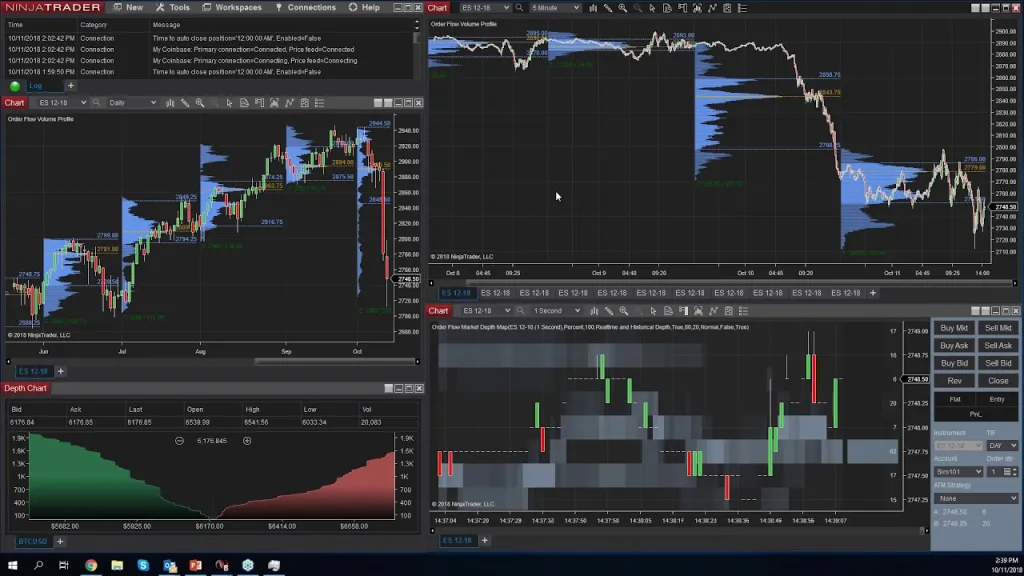
NinjaTrader stands out for its extensive customization options and powerful analytical tools, making it ideal for technical traders and developers.
Key Features:
- Advanced charting with 100+ indicators
- Market replay functionality
- Strategy development in C#
- Automated trading capabilities
- Free simulation account
Pros:
- Highly customizable
- Excellent for futures trading
- Robust backtesting engine
- Free version available
Cons:
- Steep learning curve
- Resource-intensive
- Limited forex broker support
Platform Comparison Table
| Platform | Best For | Automated Trading | Mobile App | Cost |
|---|---|---|---|---|
| MT4 | Beginners & EA traders | Excellent | Yes | Free |
| MT5 | Multi-asset traders | Excellent | Yes | Free |
| cTrader | Professional traders | Good | Yes | Free |
| TradingView | Chart analysts | Limited | Yes | Free/$14.95+ |
| NinjaTrader | Advanced traders | Excellent | No | Free/$60+ |
How to Choose the Right Platform for Your Trading Style
Are you a scalper who needs lightning-fast execution? Or perhaps you’re a swing trader who values comprehensive charting tools? Your trading style should drive your platform choice.
For Beginners:
Start with MT4. Its simplicity and widespread support make it perfect for learning. You can explore automated trading with user-friendly EAs while mastering the basics. The platform’s intuitive design won’t overwhelm you with unnecessary features.
For Automated Trading Enthusiasts:
Both MT4 and MT5 excel here. MT4 has the largest selection of EAs, while MT5 offers superior backtesting capabilities. If you’re serious about automation, consider starting with proven EAs from reputable sources before developing your own.
For Professional Traders:
cTrader or NinjaTrader provide the advanced features you need. Level II pricing, sophisticated order types, and transparent execution give you an edge in competitive markets.
For Multi-Asset Traders:
MT5 or TradingView are your best options. Both platforms support stocks, commodities, and cryptocurrencies alongside forex, allowing you to diversify your portfolio from a single interface.
Setting Up Your Trading Platform: A Step-by-Step Guide
Once you’ve chosen your platform, follow these steps to get started:
- Download and Install: Get the platform from your broker’s website or the official developer site
- Create a Demo Account: Practice with virtual money before risking real capital
- Customize Your Workspace: Arrange charts, indicators, and tools to match your preferences
- Test Order Execution: Place several demo trades to understand order types and execution
- Set Up Risk Management: Configure stop-loss and take-profit levels
- Install Essential Tools: Add indicators, EAs, or scripts you plan to use
- Practice Your Strategy: Spend at least 30 days on demo before going live
“The platform is just a tool. Your success depends on how well you use it, not which one you choose.” – Professional forex trader with 15 years experience
Common Platform Mistakes to Avoid
Through my years of trading and helping others, I’ve seen traders make these costly mistakes:
- Overcomplicating Charts: More indicators don’t mean better trades
- Ignoring Mobile Trading: Markets move 24/5; you need access anywhere
- Skipping Demo Practice: Every platform has quirks; learn them risk-free
- Neglecting Updates: Outdated software can cause connection issues
- Poor Risk Management Setup: Not using platform tools for protection
The Future of Forex Trading Platforms
As we move through 2025, trading platforms continue evolving. Artificial intelligence integration, improved mobile functionality, and social trading features are becoming standard. According to BabyPips, the next generation of platforms will focus on simplifying complex strategies while providing more powerful analytical tools.
Final Thoughts: Your Platform, Your Success
Choosing the right forex trading platform is a crucial decision that impacts your trading journey. While MT4 remains the most popular choice for its reliability and extensive EA support, each platform offers unique advantages. Consider your trading style, technical needs, and long-term goals when making your decision.
Remember, the best platform is the one you understand and can use effectively. Start with a demo account, take time to learn the features, and don’t hesitate to switch if your needs change. Whether you choose the simplicity of MT4, the power of MT5, or the innovation of newer platforms, your dedication to learning and disciplined trading will ultimately determine your success.
Ready to enhance your trading with automation? Explore our carefully selected Expert Advisors collection to find tools that complement your chosen platform and trading strategy.